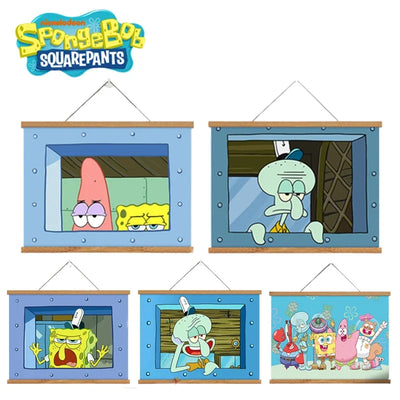
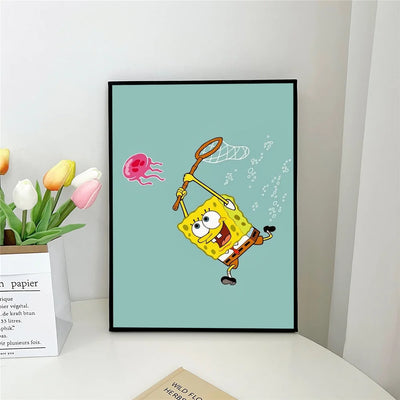
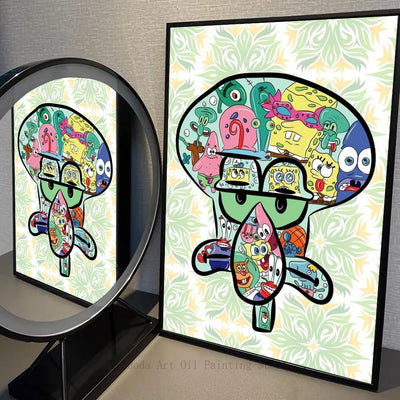
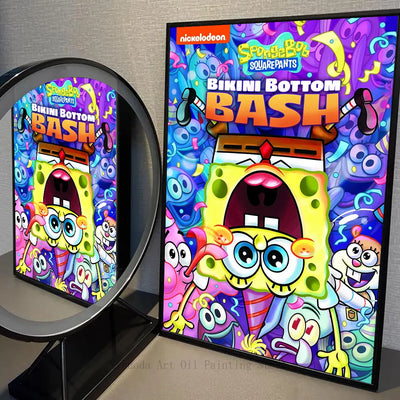
Unlocking your phone has become a mundane daily gesture — unless your screen lights up with the smiling face of SpongeBob SquarePants. For millions of fans around the world, a SpongeBob wallpaper is much more than just an image: it is an identity statement, a guaranteed mood boost, and a nostalgic nod to the 2000s. In 2026, the Bikini Bottom universe dominates wallpaper trends on Pinterest, Reddit and app stores, with styles ranging from kawaii pastel to dark aesthetic, passing through cult memes.
Whether you are looking for a SpongeBob wallpaper for iPhone, Android or your PC screen, this complete guide presents the most popular styles, where to find the best images, and how to create your own custom wallpaper. Because your phone deserves as much personality as you have!
The Most Popular SpongeBob Wallpaper Styles in 2026
Aesthetic and Pastel Style
The pastel aesthetic style is one of the strongest trends on Pinterest and TikTok. These wallpapers represent SpongeBob and his friends in soft tones: pale pinks, lavender blues, cream yellows. SpongeBob often appears in a kawaii version with big sparkling eyes, or Patrick in lilac tones. These wallpapers are particularly popular among young girls and women who love the "soft girl" or "coquette" aesthetic.
Meme Style
Screenshots that have become cultural memes are probably the most viral category. The famous "Mocking SpongeBob" (SpongeBob as a chicken), Patrick's side-eye look, Mr. Krabs' stressed face, or SpongeBob's sarcastic smile make for wallpapers that break the ice as soon as someone sees your phone. These meme wallpapers are perfect for people who enjoy second-degree humor.
Vintage and 90s-2000s Nostalgia Style
SpongeBob vintage wallpapers draw inspiration from the aesthetic of the first seasons (1999-2004) with slightly washed-out colors, grainy textures reminiscent of old VHS tapes, and the original character designs. These wallpapers speak directly to millennials nostalgic for Sunday mornings watching Nickelodeon.
Dark Style and Night Ambiance
Night-time Bikini Bottom dark wallpapers have become a strong trend with the rise of dark aesthetic fashion on social media. These images show the underwater city bathed in a deep, mysterious blue light, with luminous silhouettes of SpongeBob, Patrick and their homes. Perfect for dark modes on phones.
Minimalist Style
Minimalist wallpapers reduce the characters to their essential shapes: SpongeBob's silhouette in yellow on a white background, Patrick's silhouette in pink on a black background, or simply stylized initials. These clean designs suit those who want to display their love of SpongeBob in a discreet and sophisticated way.
Best SpongeBob Wallpapers for iPhone
The iPhone has its specificities in terms of resolution and screen format. For optimal rendering:
- iPhone 15 Pro Max: 1290x2796 pixels recommended
- iPhone 15/14 standard: 1179x2556 pixels ideal
Since iOS 16, you can set different wallpapers for the lock screen and home screen. A popular strategy among SpongeBob fans: put a group image (SpongeBob, Patrick, Sandy together) on the lock screen, and a more minimalist background on the home screen so app icons remain visible.
Best Wallpapers for Android
Android offers much more customization than iPhone, making it the ideal platform for hardcore SpongeBob fans. Launchers like Nova Launcher or Poco Launcher allow you to completely change the Android interface with SpongeBob themes: custom icons, transition animations, and of course wallpapers in all styles.
Android also natively supports Live Wallpapers — animated backgrounds. Applications like Wallpaper Engine (mobile version) offer animated SpongeBob wallpapers: SpongeBob blowing bubbles in a loop, jellyfish floating in Jellyfish Fields, or animated flames under the Krusty Krab grill.
PC and Mac Wallpapers
For computer screens, recommended resolution depends on your monitor:
- Full HD (1920x1080): The standard for most monitors.
- 2K/QHD (2560x1440): For gaming or creation monitors.
- 4K (3840x2160): For premium monitors where every detail shines.
Patrick Star Wallpapers: A Category of Their Own
Patrick Star has independent popularity for wallpapers, especially since the explosion of Patrick memes on the internet and the success of "The Patrick Star Show" spin-off. Most popular Patrick wallpapers in 2026: kawaii pastel Patrick, surprised face Patrick, Patrick sleeping under his rock in dark aesthetic, and Patrick in Y2K style with pink/purple/chrome tones.
Where to Find Quality SpongeBob Wallpapers
- Pinterest: The absolute reference. Search "SpongeBob wallpaper aesthetic" for thousands of high-resolution images.
- Wallpaper Engine (Steam): For PC, high-quality animated wallpapers created by the community.
- r/spongebob on Reddit: The community regularly shares exclusive fan art and wallpapers.
- Zedge: Mobile app with a large selection of SpongeBob wallpapers for smartphones.
- WallpaperAccess: Specialized website with a SpongeBob section in multiple resolutions.
Create Your Own SpongeBob Wallpaper
Use Canva (free) to create your wallpaper in your device format, import a high-resolution SpongeBob image from Nickelodeon.com, add your favorite background color and some decorative elements (stars, bubbles, corals). In minutes, you have a unique personalized wallpaper. For more professional results, Adobe Express offers advanced editing tools to create depth effects and color filters.
Complete Your Wallpaper with a Matching Case
SpongeBob and Patrick iPhone cases to complete your style


❓ Frequently Asked Questions about SpongeBob Wallpapers
Where can I download free, quality SpongeBob wallpapers?
Pinterest is the best source with thousands of high-resolution images. Zedge offers a dedicated mobile app. WallpaperAccess.com provides images in multiple resolutions (from 1080p to 4K). Reddit (r/spongebob) also shares exclusive wallpapers created by the community.
What wallpaper format should I choose for iPhone 14/15?
For iPhone 15 Pro Max, choose 1290x2796 pixels. For iPhone 15/14 standard, 1179x2556 pixels is ideal. These resolutions match Apple's Super Retina XDR screens and guarantee perfect sharpness.
Are there animated SpongeBob wallpapers for Android?
Yes! Apps like Wallpaper Engine Mobile, KLWP Live Wallpaper Maker or Zedge offer animated SpongeBob Live Wallpapers for Android. These wallpapers show SpongeBob blowing bubbles, jellyfish floating in Jellyfish Fields, or Bikini Bottom with its inhabitants in motion.
How do I create a custom SpongeBob wallpaper?
Use Canva (free) to create your wallpaper in your device format, import a high-resolution SpongeBob image from Nickelodeon.com, add your favorite background color and some decorative elements. In less than 10 minutes, you have a unique personalized wallpaper.
What are the most popular Patrick Star wallpapers in 2026?
The most requested in 2026 are: kawaii pastel Patrick, surprised face Patrick (the meme), Patrick sleeping under his rock in dark aesthetic, and Patrick in Y2K style with pink/purple/chrome tones.
How do I set a different wallpaper for the home screen and lock screen?
On iPhone (iOS 16+): go to Settings > Wallpaper > Add New Wallpaper, then choose "Customize Home" after setting the lock screen. On Android: long press on the desktop > Wallpapers > choose whether to apply to the home, lock screen, or both.